
Install BatchBridge
Access BatchBridge in 1-tap with full-screen experience, lightning-fast offline loading, and real-time notifications directly from your home screen.
This Installation Is 100% Safe & Secure
BatchBridge never asks you to install unknown APKs or executable files. It is as secure as your browser.
Runs entirely inside your preexisting, trusted browser engine (Google Chrome or Apple Safari).
Zero access to your private data without explicit system prompts. Takes almost zero memory compared to heavy 100 MB+ store apps.
Steps to follow...
Browser:Android (Google Chrome)
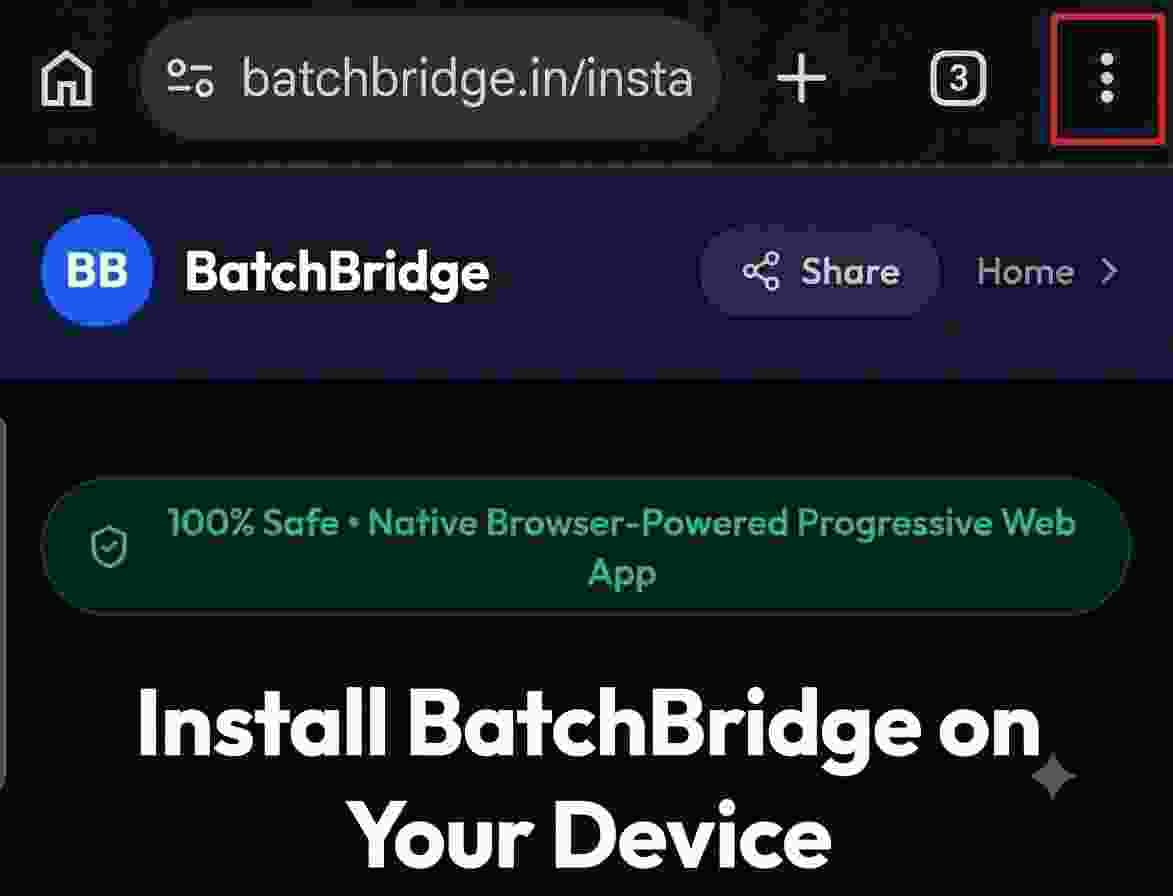
Open Google Chrome Menu
Tap the three vertical dots (⋮) in the top-right corner of your Chrome browser.
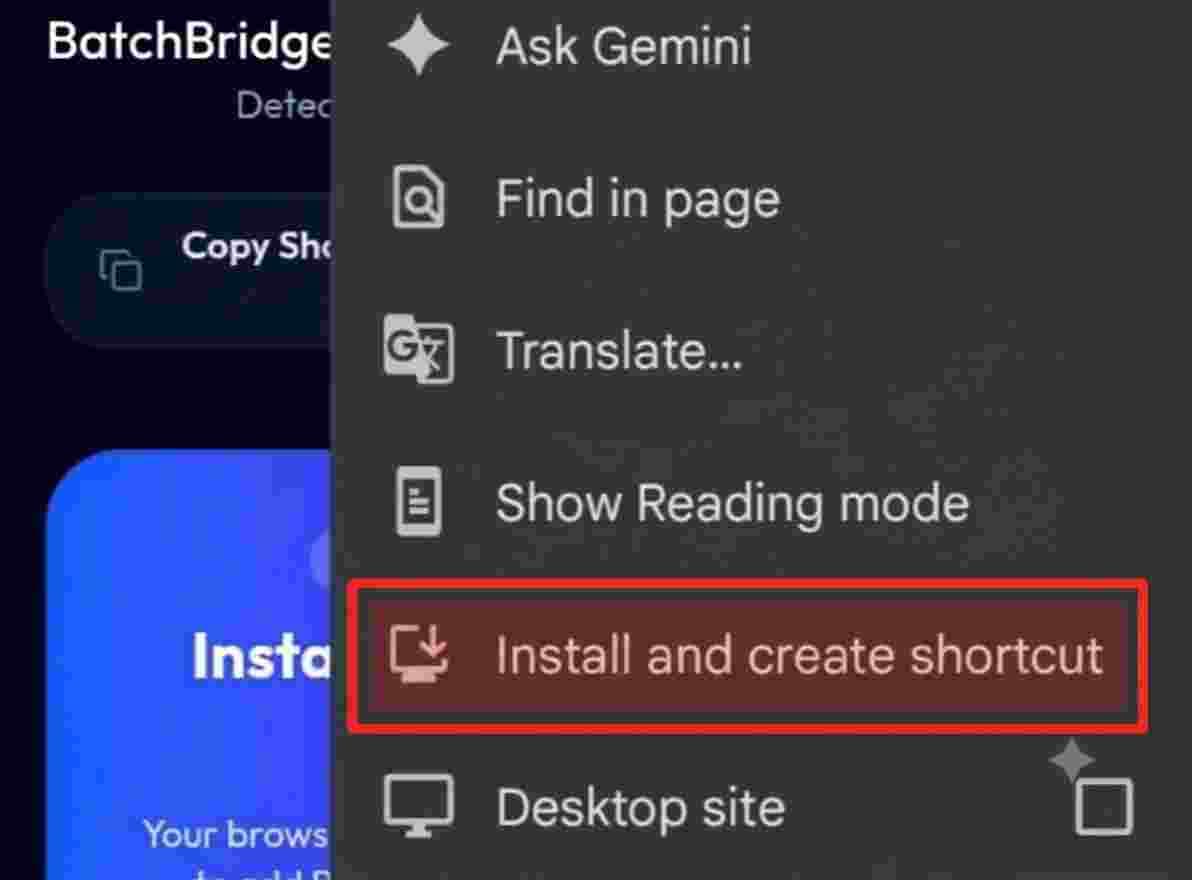
Tap "Install app" or "Add to Home screen"
In the menu list, tap "Install app" (or "Add to Home screen" depending on your Chrome version).
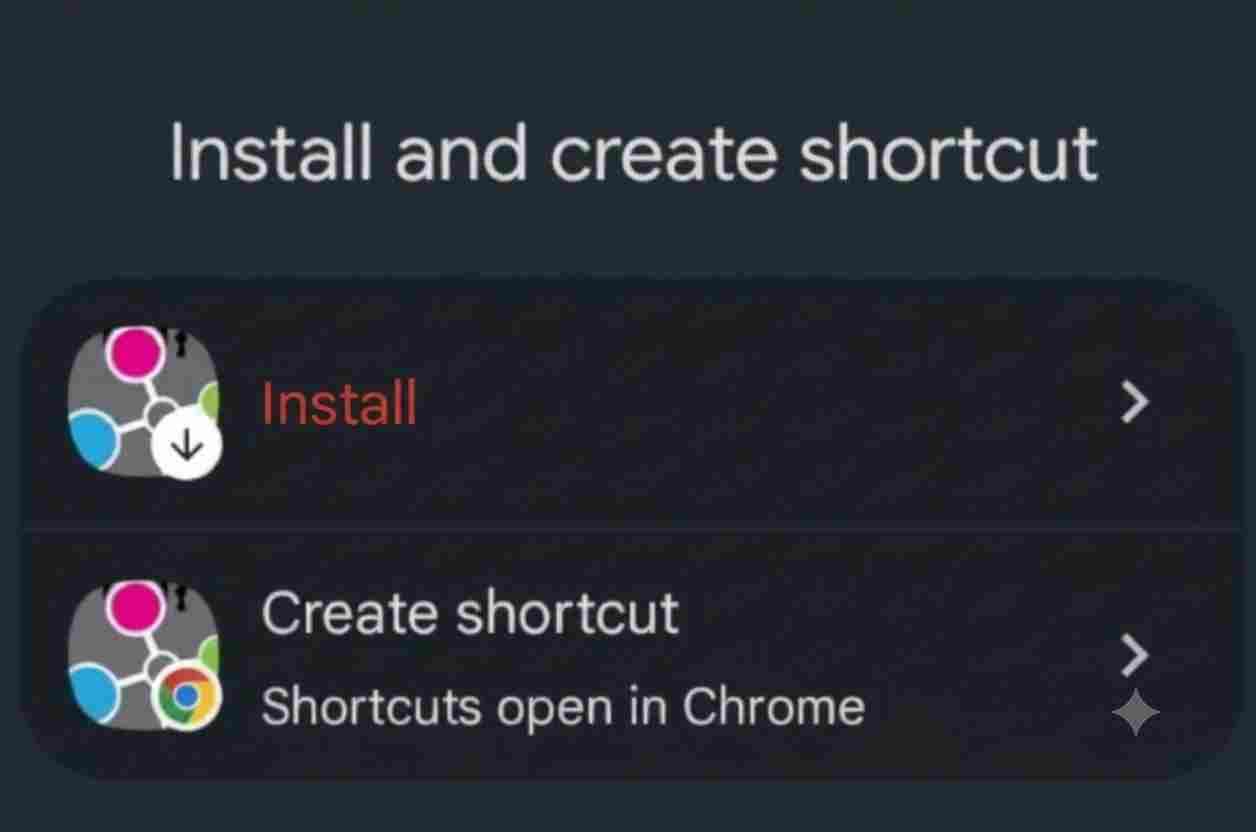
Confirm Installation
A confirmation popup will appear. Tap "Install". Chrome will securely add BatchBridge directly to your phone’s App Drawer and Home Screen.
Can't find the install button or menu option?
Make sure you are viewing this page directly in your phone's standard browser (such as Google Chrome or Apple Safari). If you opened this link from inside an in-app browser like Instagram, WhatsApp, or Facebook, tap the three dots and choose “Open in Chrome” or “Open in Safari” first.
Frequently Asked Questions
Is BatchBridge available on the Google Play Store?
Not yet. Building and maintaining a native Android app requires significant time and money, along with regular manual updates. Instead, we offer a Progressive Web App (PWA) that works through your own browser and can be added to your home screen. No suspicious APK downloads are needed.
What is a Progressive Web App (PWA)?
In short, it's like your own browser dedicated to BatchBridge, without the address bar or other browser icons. It takes you directly to the official, verified BatchBridge website, giving you an app-like experience. No separate APK is needed!
Will this take up storage on my phone?
No. Because BatchBridge is a Progressive Web App, it uses only ~1 to 2 megabytes of cached data — over 95% less space than standard app store applications.
How do I get the latest updates?
You never have to manually update the app. Every time you launch BatchBridge, it automatically syncs with our latest verified security patches and feature releases.
Does this app have access to my private photos or contacts?
Absolutely not. Browser security models strictly isolate PWAs from your personal file system and private data.
Can I remove or uninstall it anytime?
Yes. Simply long-press the BatchBridge icon on your home screen and select “Delete bookmark” or “Uninstall” just like any other app.
BatchBridge • The Verified Campus Network for Medical Students